
Why Nintendo Switch Repair Requires Precision & Proper Tools
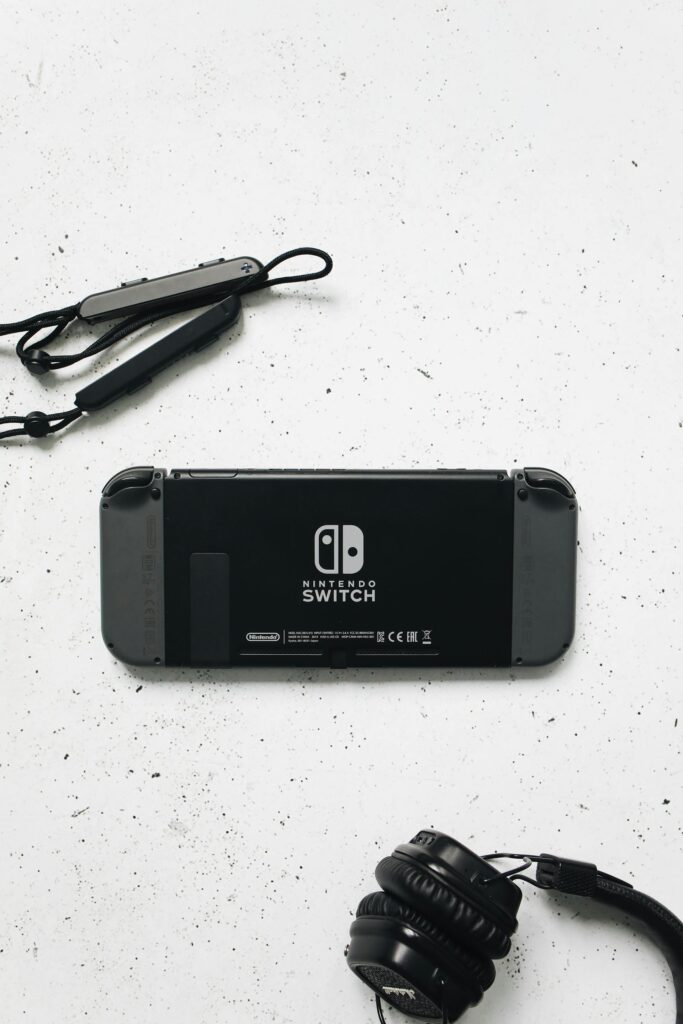
The Nintendo Switch is a unique gaming system with a compact, tightly packed internal layout. Unlike larger consoles, every component inside a Switch is small, delicate, and highly sensitive to pressure or improper handling.
The Switch includes:
- A tightly soldered USB-C charging port & Heat-sensitive LCD or OLED displays
- Joy-Con rail connectors & Game card reader modules
- Cooling system with heat pipe
- Lithium-ion battery
- Motherboard with fine-pitch solder
A single mistake during repair can cause:
No power
No charging
Black screen
Joy-Con not connecting
Overheating
Game card not reading
Touchscreen failure
Because of its compact design, Switch repairs require careful disassembly, board-level knowledge, and proper tools for soldering and reassembly.
What Makes Our Switch Repair Service Different
Switch problems are often misdiagnosed. A system that won’t power on, for example, could be a battery issue, a charging port failure, a motherboard short, or even a flex cable issue.
We use structured diagnostics to find the true cause instead of guessing.
Our Nintendo Switch repair includes:
Charging port inspection under magnification
Board-level voltage testing
Cooling system cleaning & thermal servicing
Battery testing for voltage & swelling
Joy-Con rail testing
Game card reader diagnostics
Professional micro-soldering for USB-C and board components
What most shops get wrong:
Replacing the wrong part because the issue wasn’t diagnosed properly
Damaging the USB-C port pads during removal
Overheating the motherboard
Using cheap joystick modules that drift quickly
Not testing Joy-Con rails or fan performance after repair
Our workflow ensures accuracy, safety, and long-term performance.
Full Breakdown of Nintendo Switch Repair Services
Below is a full breakdown of common Nintendo Switch issues and how we solve them.
1. USB-C Charging Port Repair
This is the most common Switch repair, because the charging port is:
Soldered directly to the motherboard
Easy to damage with tight cables
Weak to pressure when docked
Symptoms include:
Not charging
No power at all
Powers on but can’t dock
Dock light blinking
Port feels loose
Our repair includes:
Safe motherboard removal
Professional micro-soldering of a new USB-C port
Checking charging pathways
Docking test for TV output
2. Screen Repair (LCD or OLED)
Switch screens are thin and fragile.
We fix:
Cracked screens
Touch not working
Flickering or lines
Dim or black display
Color distortion
We install OEM-grade screens with safe heat-controlled removal.
3. Joy-Con Drift Repair
Joy-Con drift is extremely common due to worn joystick modules.
We fix:
Stick drift
Sticky or unresponsive buttons
Charging problems
Joy-Con disconnect issues
We use high-quality joystick modules that last longer than cheap replacements.
4. Game Card Reader Repair
If games won’t load or show errors:
Reader pins may be damaged
The module may be worn
The flex cable could be loose
We replace the card reader and verify stable connection.
5. Battery Replacement
Symptoms:
Fast drain
Overheating
System shutting off randomly
Battery swelling lifting the screen
We install safe, OEM-grade batteries.
6. Fan & Overheating Repair
We fix:
Loud fan noise
Overheating shutdowns
System running hot
Cooling repairs include:
Cleaning dust
Replacing thermal paste
Installing a new fan if needed
7. Game Not Loading / System Errors
We troubleshoot system-level issues including:
Software corruption
Storage problems
Firmware issues
Nintendo Switch Repair Process (Step-by-Step)
Step 1: Diagnostic Scan
We evaluate:
Power behavior
Charging amperage
USB-C pin damage
Fan speed
Storage health
Joystick calibration
Card reader performance
Step 2: Full Disassembly
We remove:
Back housing
Shielding plates
Battery
Motherboard (if needed)
Fan and cooling module
Step 3: Cleaning & Prep
Dust and debris are removed from:
Fan
Heat pipe
Card reader slot
Step 4: Component Repair or Replacement
Examples:
USB-C port micro-soldering
LCD/OLED replacement
Joystick module installation
Reader module replacement
Step 5: Reassembly & Testing
We test:
Power and charging
Docking output
Fan noise and temperature
Joy-Con functionality
Game card reading
Step 6: Final Quality Check
We check the Switch under gameplay load to ensure stability.
Helping Switch Owners Know When They Need Repair
People search for Switch repair when:
Their console won’t charge
Joy-Cons start drifting
Games won’t load
Screen cracks or glitches
It won’t turn on
Signs Your Switch Needs Repair
No charging
Dock doesn’t detect the console
Joy-Con movement on its own
Black or flickering screen
Loud fan noise
Overheating
Games not reading
Touch not working
These symptoms indicate hardware failure that requires service.
Pricing Table
| Repair Type | Typical Price | Estimated Time |
|---|---|---|
USB-C Charging Port |
$79–$129 |
1–2 hours |
Screen Replacement (LCD/OLED) |
$89–$179 |
1–2 hours |
Joy-Con Drift Repair |
$15–$39 per joystick |
30–45 minutes |
Game Card Reader Replacement |
$59–$99 |
1–2 hours |
Battery Replacement |
$49–$99 |
45–90 minutes |
Fan / Overheating Repair |
$39–$89 |
1 hour |
Full Diagnostic |
– |
30-60 minutes |
What Our Customers Say
“I dropped my iPhone 13 on campus and cracked the entire screen. St. Charles Phone Factory replaced it the same day with an original-quality display and recalibrated Face ID. It looks brand new and works perfectly. Fast, clean, and professional service.”
“My Galaxy S22 stopped charging, and I thought I’d need to replace it. The team at St Charles Phone Factory diagnosed a damaged charge port and repaired it the same day. They even explained the process and showed me the microscope view of the soldering work. It’s been flawless since.”
Proudly Serving St. Charles & Nearby Communities
Our primary service area covers St Charles, Cottleville, Weldon Spring, and St Peters.
Customers reach us easily from Main Street, Lindenwood University, and Mid Rivers Mall via Zumbehl Rd.
We also provide pickup and drop-off assistance for local offices and campus residents.